

June 2026
In the last month, Sensible enabled email processor configuration through the Sensible app and API. Sensible also expanded portfolio extractions to accept image files and added new parameters to the Checkbox methods and to the Split Lines preprocessor.
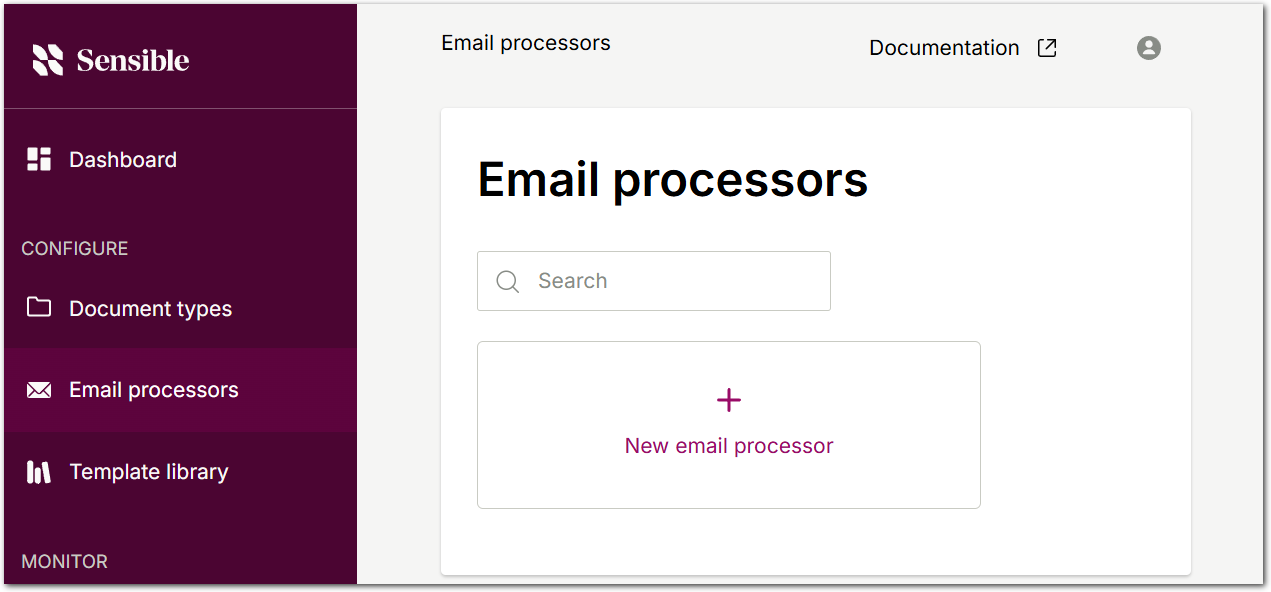
Improvement: Email processors now configurable via API and UI
You can now configure email processors yourself through the Sensible app and the Email Processors API. Contact Sensible to show the Email processors tab in the Sensible app. Then, use the API or the Email processors tab to create processors that specify document types for classification and extraction, webhook destinations, and forwarding email addresses. Note that the forwarding addresses you'll use to trigger email data extraction are only visible in the Sensible app. If you create a processor through the API, open the Email processors tab in the Sensible app to find its forwarding address. For more information, see Getting started with email extraction.
Improvement: Advanced checkbox configuration
For the Checkbox and Nearest Checkbox methods, you can now use the new Ignore Form Data parameter to bypass PDF form layer data and fall back to pixel or OCR-based checkbox detection. Use this option when a document's form data is incomplete or inaccurate, for example, when a PDF editor partially recognized form fields in a scanned document and embedded incorrect checkbox metadata. When you set this option, Sensible ignores the embedded metadata and uses its own detection instead.
Improvement: Split Lines preprocessor now supports document ranges
When preprocessing your document, you can now apply the Split Lines preprocessor to specified document ranges using the new Range parameter. For example, use this parameter when your document has repeating sections that require line splitting, but applying Split Lines to the entire document would over-split other sections. For more information, see Example 2.
Improvement: Portfolio extractions now support image files
Portfolio extractions now accept single-page image files (JPEG, PNG) in addition to PDFs. If your portfolio contains a mix of image and non-image files, Sensible processes each image file as a portfolio document and returns the first document it identifies. For supported file types, see Supported file types.