

July 2026
In the last month, Sensible updated Gemini models to 3.x, released new configuration options for confidence signals for LLM models, added a new extended JsonLogic operation, and added advanced options for the Region method. Sensible also made several UX improvements to the Sensible app.
Improvement: LLM model version updates
Sensible updated the Gemini models used for LLM-based methods to 3.x from 2.x. For more information, see LLM models.
New feature: Trace who initiated an extraction
You can now view which user or named API key initiated an extraction. API extraction responses now include a new Actor parameter that shows either your account email address (for extractions you initiate in the Sensible app), or the name of your API key (for extractions you initiate through the API or SDK). For more information, see Extraction endpoints.
New feature: Extract document region as PNG
You can now return a region of a document as a PNG. Use this option to capture visual content for a human to review, such as charts or diagrams. This option is useful when neither LLM-based nor layout-based methods can reliably extract data from complex images. When you set the Region method's new As Image parameter to true, Sensible returns the region as a PNG data URI, for example, data:image/png;base64,iVBORw0KGgoAA.... For a comparison of image extraction options, see Image processing.
New feature: Advanced JsonLogic date operation
In addition to the existing JsonLogic operators for transforming extracted data,
Sensible released the new Today operator. The operator returns the current UTC date as a YYYY-MM-DD string and takes no arguments. Combine it with the existing Date Shift operator to compute dates relative to today without specifying a hardcoded date in your extraction config. For more information, see JsonLogic.
Improvement: Configure which LLM qualifies accuracy
You can now configure which LLM provider qualifies the accuracy of your LLM-based extractions. Previously, Sensible used OpenAI to qualify accuracy with confidence signals. Now, you can set the Confidence Signals parameter's new Engine parameter to anthropic, google, or open-ai. For more information, see LLM models.
Improvement: Advanced configurability for the Region method
For the Region method, you can now relax the criteria by which Sensible determines that a region "contains" lines. Use the new Percent Overlap X and Percent Overlap Y parameters to extract lines that partially extend outside the region boundary. For more information, see Region.
UX improvement: Bulk actions
In the Sensible, app, you now have more selection options for templates in the config library and for reference documents in document types.
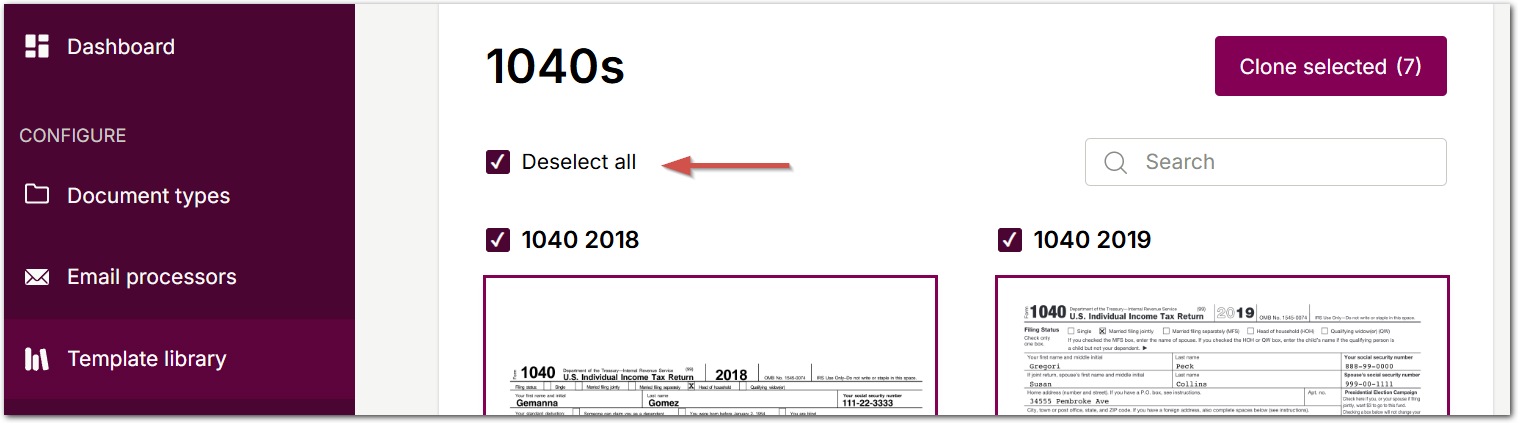
When importing from the config library in the Template library tab, you can now choose individual configurations instead of importing the entire contents of the document type. Deselect any configs you don't need before cloning, and Sensible omits the unwanted configs and their reference documents.
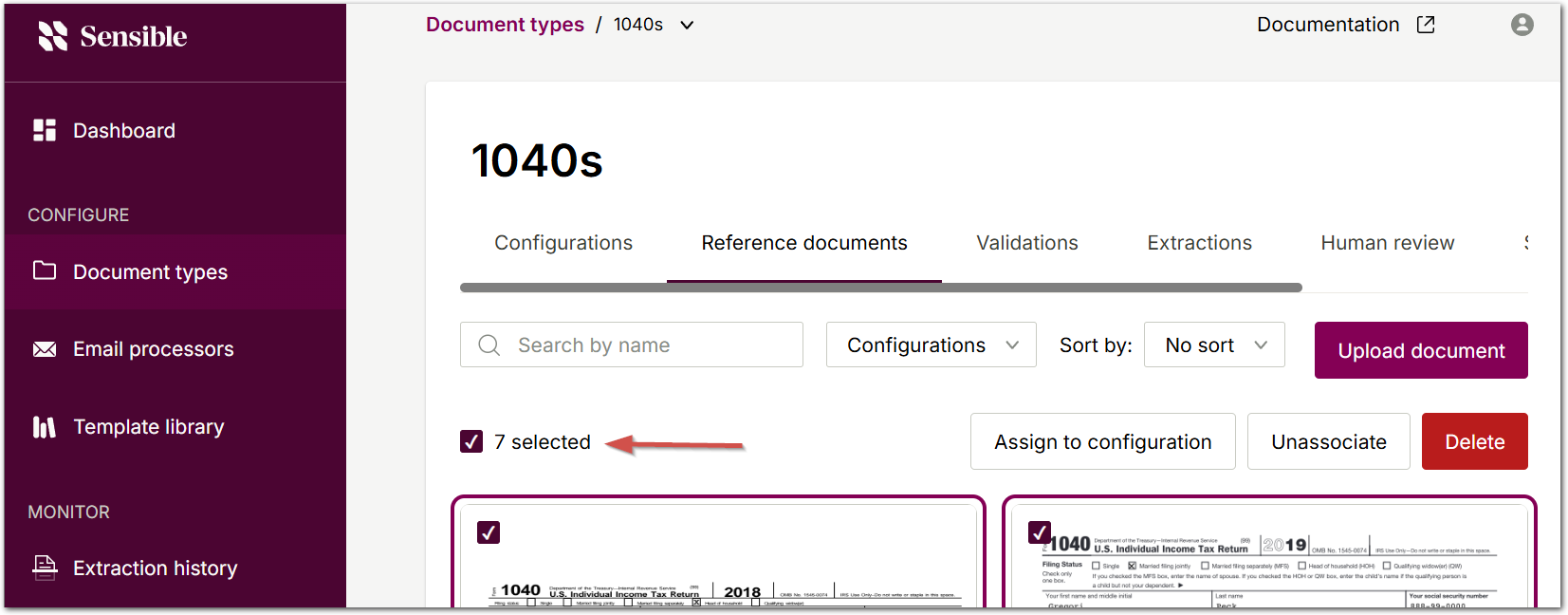
In a document type's Reference Documents tab, you can now select multiple documents and act on them in bulk, including deleting them, assigning them all to one config, or unassociating each from its config.
UX improvement: SenseML editor
Sensible has improved the SenseML editor's viewing and copying features.
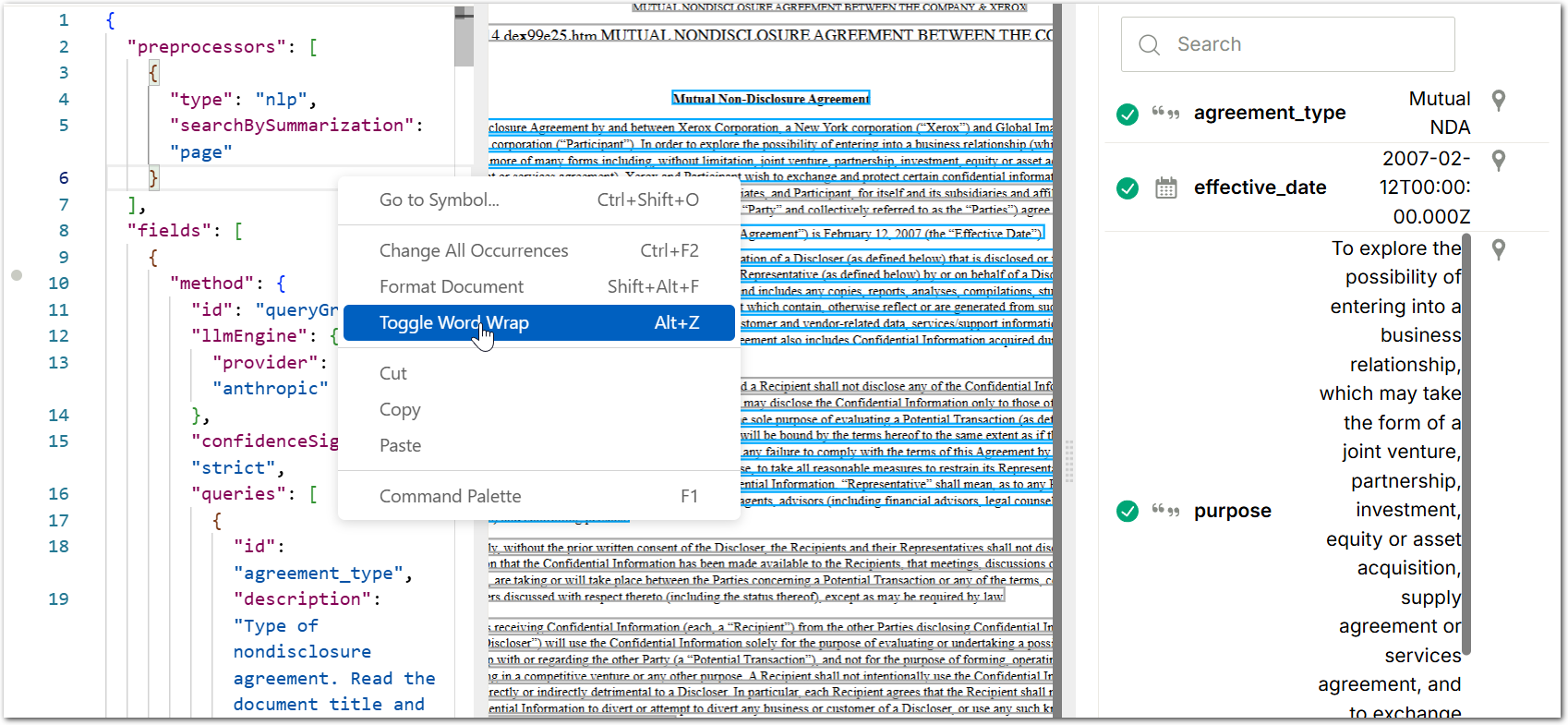
You can now toggle word wrap in the SenseML editor. Right click anywhere in the left pane of the SenseML editor with JSON view selected, then select Toggle word wrap option to wrap long lines of SenseML, instead of scrolling horizontally.
In the SenseML editor in MacOS, you can now hold Command and click on a line in the rendered PDF to insert that line's text at the editor cursor in the left pane. Previously, holding Control and clicking was the shortcut on all platforms, but macOS intercepts that shortcut as a right click. On Windows and Linux, holding Control and clicking continues to work.
